Announcing WorkAdventure v1.21 with Matrix integration
We are thrilled to announce this new version of WorkAdventure. Mark our words, it comes with a MAJOR new feature: 🎉 Matrix integration! 🎉
Matrix what?
You might be wondering, “Matrix? Like the movie? What are they talking about?” Let us explain!
WorkAdventure is a fantastic tool for spontaneous interactions. In a virtual office setting, it’s easy to walk up to your colleague’s desk, ask a question, and return to your seat—just like in real life. But what if your colleague isn’t on WorkAdventure? What if they’re away or forgot to connect? Many users revert to instant messaging tools like Slack, Microsoft Teams, or Google Chat in these situations.
A State-of-the-art instant messaging tool right into WorkAdventure
WorkAdventure now comes bundled with a state of the art instant messaging application. It is based on the “Matrix” protocol.
The chat system opens just like the old one, using the chat icon in the action bar. You can resize it the way you want, up to taking the whole screen space if you are messaging a lot.
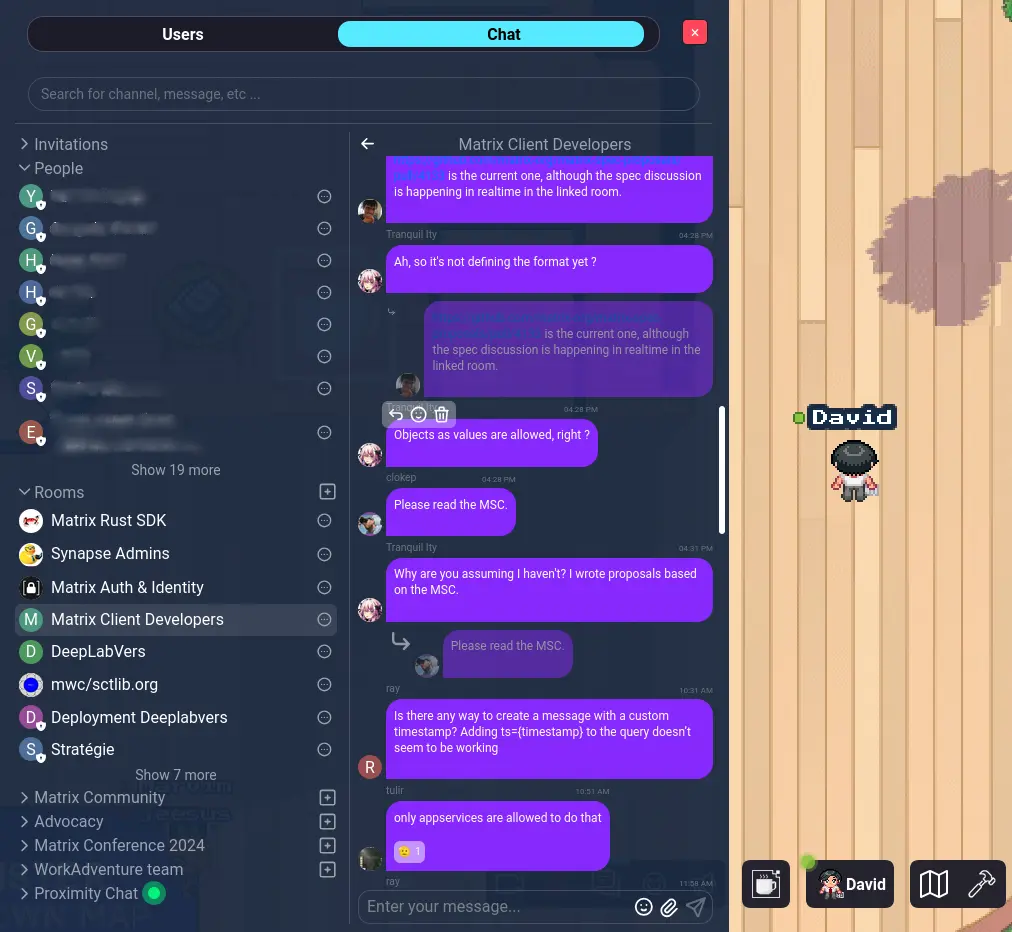
Bridging communication gaps in WorkAdventure
No more missing connections!
Now, when you connect to WorkAdventure, you’ll automatically have a Matrix instant messaging account.
- Stay Connected: If you’re away, colleagues or visitors can leave you messages. You’ll be able to read them when you’re back, and you can also receive email notifications.
- Open and Decentralized: Matrix is an open, decentralized protocol:
- Cross-Platform Access: Connect to your WorkAdventure instant messaging account from other messaging applications.
- Wider Reach: Communicate with users on other Matrix-compatible platforms directly from WorkAdventure.
Send messages to your colleagues when they are Offline
You can now send messages to colleagues or member of your world when they are offline. They will get a mail notification and will receive the message when they connect back.
In the background, the Matrix server shipped with WorkAdventure is storing the messages and dispatching them to the correct users.
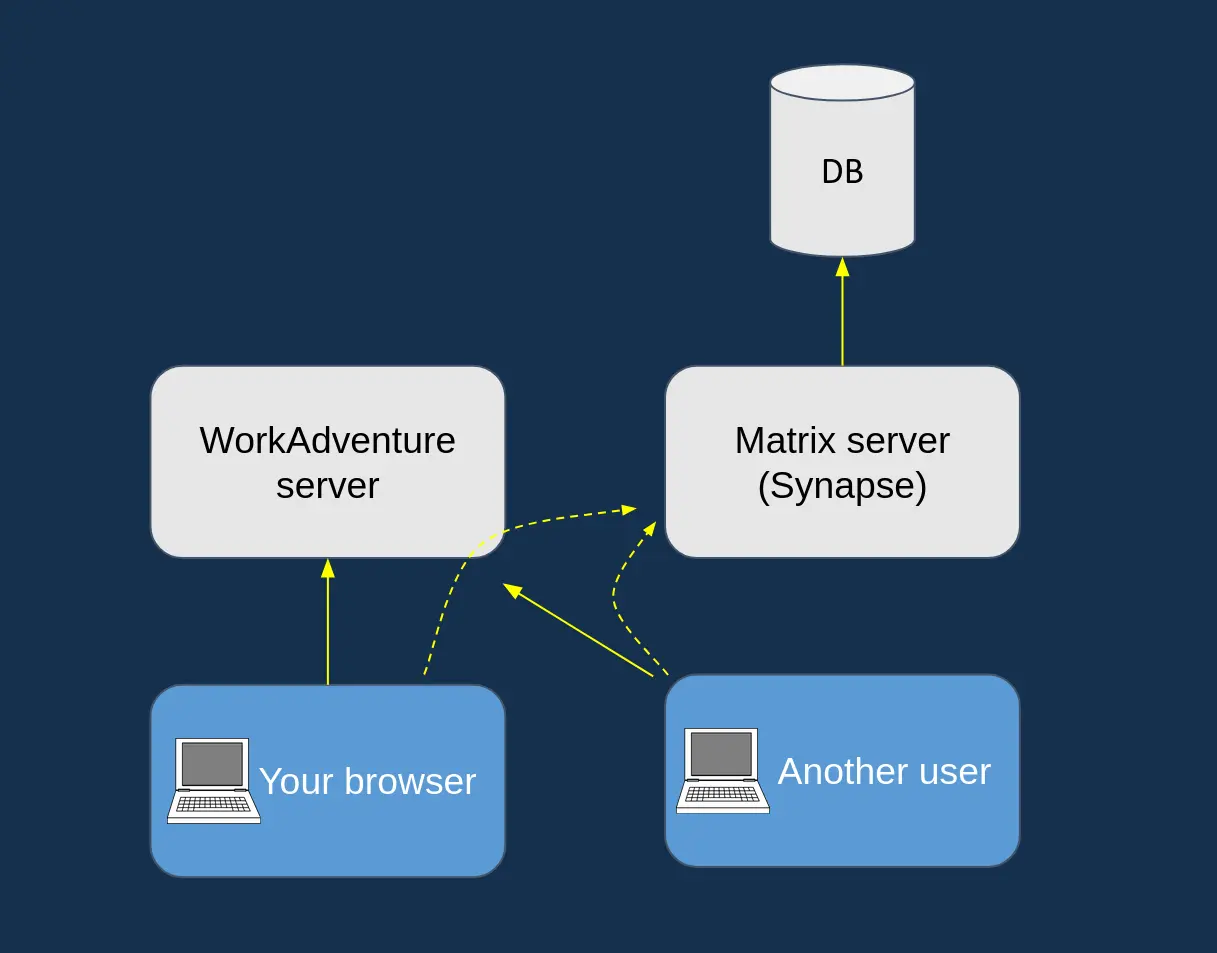
Connecting WorkAdventure with other messaging apps
The Matrix ecosystem includes excellent clients (applications that connect to it), the most notable being Element, available on desktop and mobile.
Imagine this scenario:
- You’re away from your desk.
- A visitor enters your virtual office.
- Upon approaching your desk, they see a message: “John is away,” with a “Send a message” button.
- They write a message and click “Send.”
- Ding! A notification pops up on your phone via the Element app.
- You open Element and instantly chat with your visitor — or you hop onto WorkAdventure to speak with them directly!
This is now possible! Want to try it?
Get WorkAdventure messages on your phone 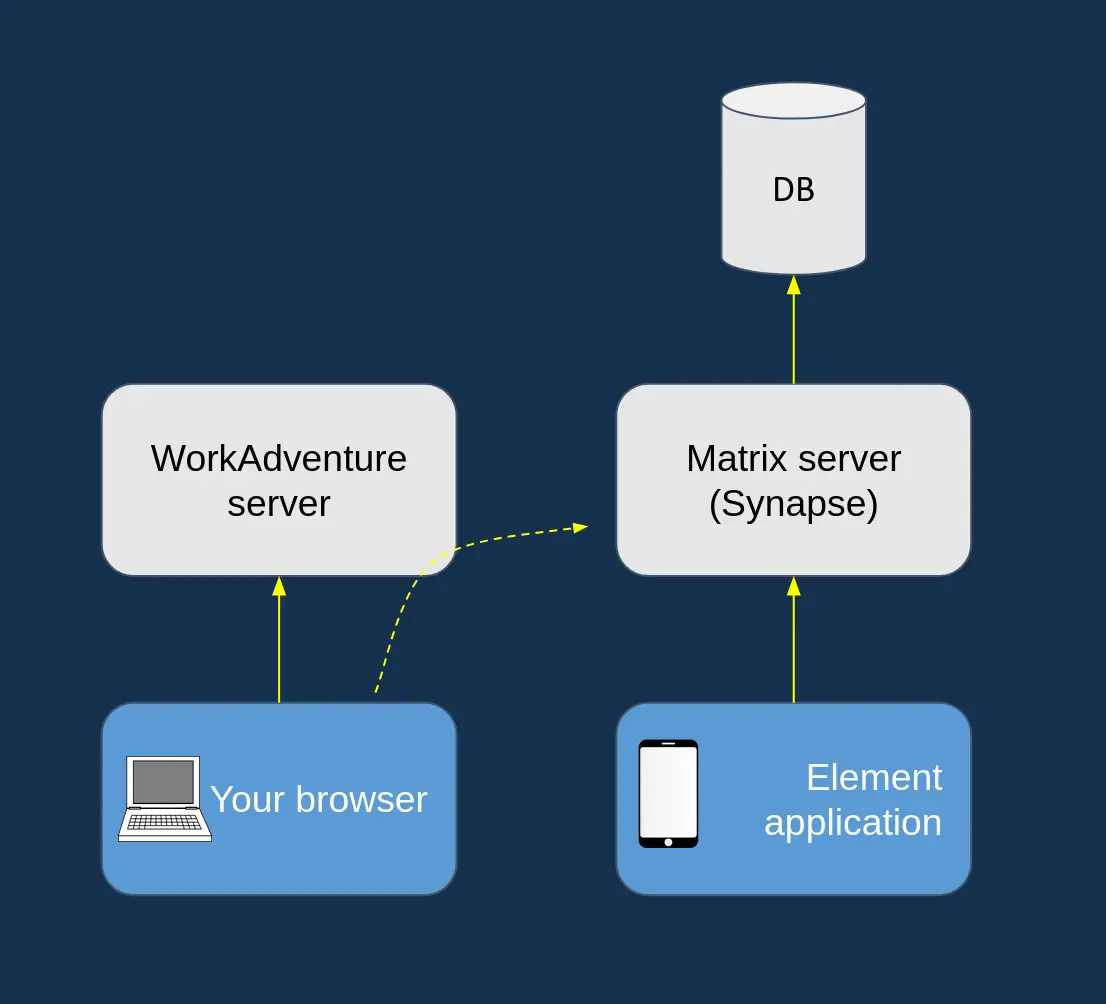
Communicate across different servers with Matrix
From WorkAdventure, you can connect to anyone with a Matrix account. WorkAdventure is an open distributed platform.
It means that if you have a self-hosted server, your users can now connect with users from other servers (whether they are WorkAdventure servers or any other Matrix server).
Enhancing accessibility for visually impaired users
Accessibility has always been important to us and the WorkAdventure community. Recently, we merged a contribution allowing users to disable animations and ambient sounds, helping people with autism spectrum disorder focus more easily (thanks @pizkaz!).
However, we’ve struggled to provide accessibility for blind users. Since WorkAdventure operates on a game engine, tailoring it to screen readers is challenging.
Now, thanks to Matrix integration, visually impaired people can use dedicated tools that integrate with WorkAdventure. For example, Element has built-in support for screen readers. Blind workers can stay connected with their colleagues without struggling to navigate the virtual world.
Transitioning from XMPP to Matrix messaging
Previously, WorkAdventure provided a messaging system based on the XMPP protocol. While XMPP shares similarities with Matrix (being distributed and open), it lacks modern clients, such as robust mobile apps.
As we migrate to Matrix, XMPP support will be discontinued. If you were using chat rooms, please note that your chat history will be lost during the upgrade. In WorkAdventure SaaS, we’ve monitored the usage of this feature and found it was seldom used. If you had sensitive data there, contact us, and we’ll provide a recovery method.
For those self-hosting WorkAdventure, the “Ejabberd” server/container is no longer necessary. You’ll need to replace it with a “Synapse” server.
What’s next?
David, our CTO, will present the Matrix integration—including insights on how we developed it—at the Matrix Conf 2024 on Saturday, September 20th.
The Matrix ecosystem is growing rapidly. Being part of this ecosystem will open plenty of opportunities for WorkAdventure users.
Supporting more features
WorkAdventure already supports many features of the Matrix protocol—even end-to-end encryption, which not many clients offer!
In the future, we’ll strive to support advanced features like threading and one-to-one calls.
Other integrations (MS Teams…)
More closed systems like Microsoft Teams are harder to bridge with Matrix. For these platforms, we’re working on native integrations that will run alongside Matrix. Stay tuned!