Announcing WorkAdventure 1.22
We are thrilled to announce the release of <strong>WorkAdventure 1.22</strong>. Building upon the major changes of the last release—namely Matrix integration—this version adds several new features and improvements.We’ve also revamped the SaaS platform’s login flow with a complete redesign and additional settings, paving the way for more features to come.
Matrix chat zones
WorkAdventure 1.21 added support for Matrix chat, allowing users to send messages to each other and to create chat rooms.
Because Matrix is distributed, users can chat across servers and even across clients (you can now chat with your friends on
WorkAdventure from your mobile phone using Element for instance). WorkAdventure 1.22 adds support for Matrix chat zones. A chat zone is a specific area of the map bound to a Matrix room.
When you enter a chat zone, you are automatically joined to the corresponding Matrix room.
When you leave the chat zone, you are automatically removed from the room. 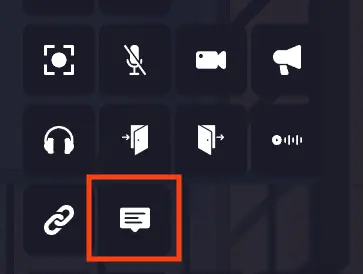 This is extremely useful for meeting rooms. Matrix’s history only allows you to read messages that were sent while you were in the room. This means you can revisit
a meeting room and read past conversations. However, you won’t be able to read messages from meetings you didn’t attend,
preserving the privacy of those discussions.
New login flow design (SaaS)
The login flow has been completely redesigned. Judge by yourself!
Before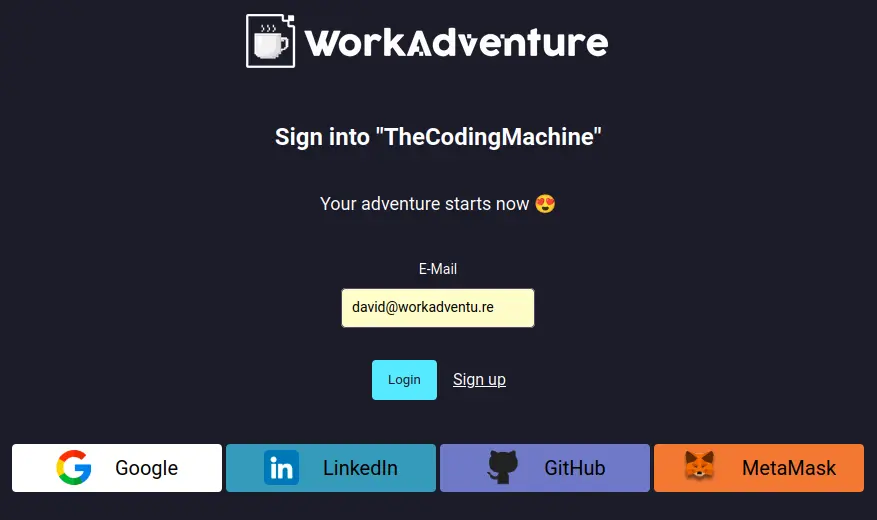
After 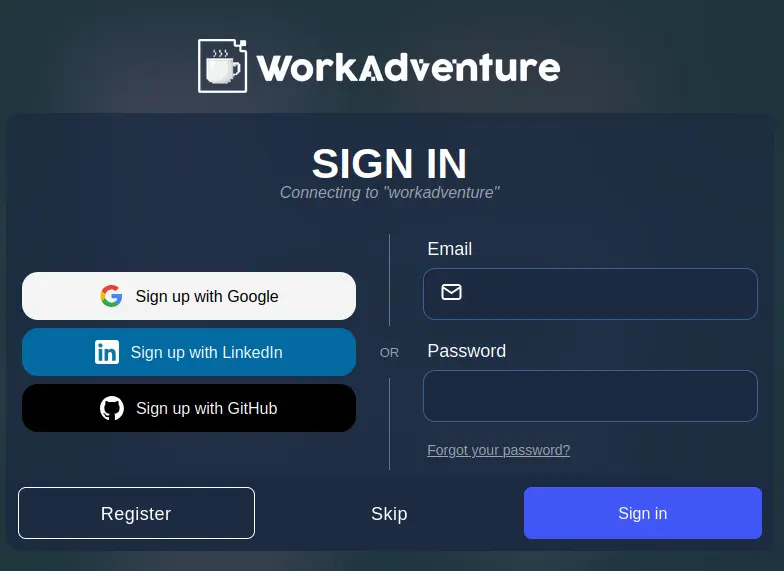
New login flow settings (SaaS)
The parameters to configure the login flow have been moved to a new “Authentication” page in the dashboard. 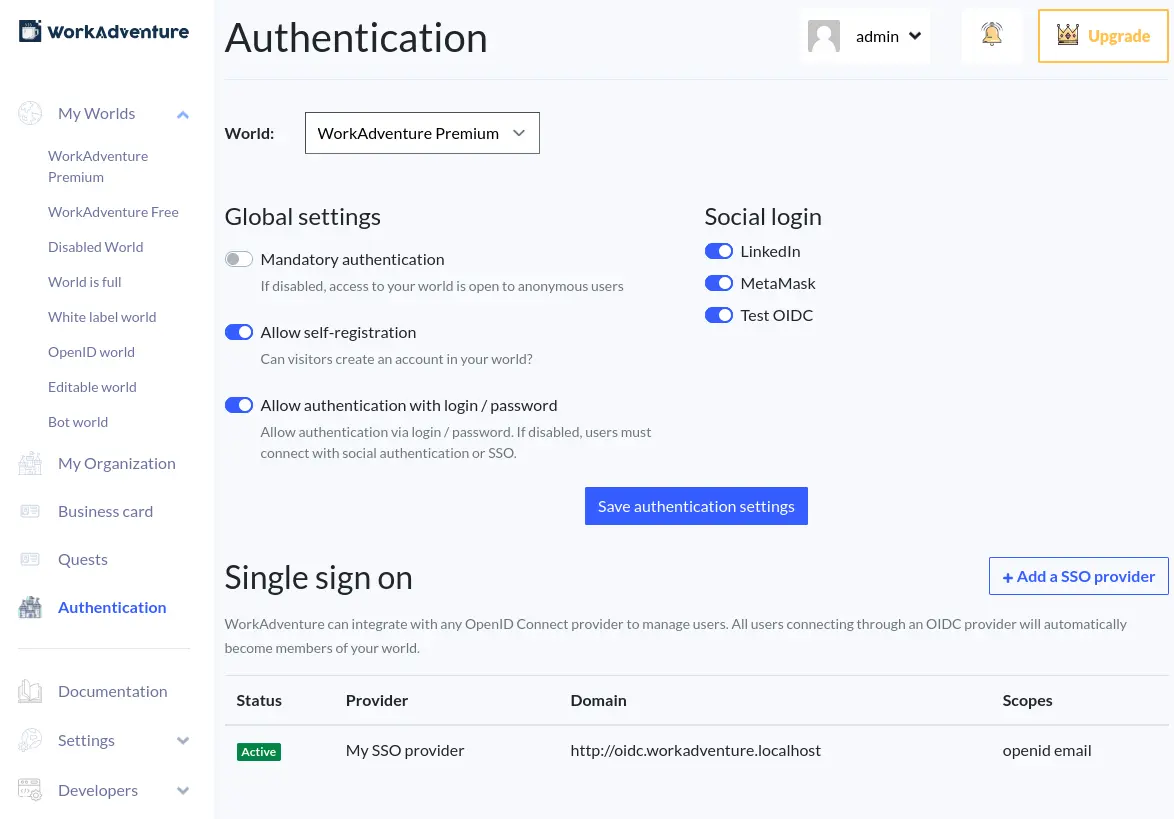 A new setting has been added to allow administrators to decide if they want to allow visitors to be able to self-register. By enabling this setting and requiring user authentication, you ensure that visitors must authenticate before entering
your world, which was not previously possible. In the end, the new login flow settings give you more control over the login flow of your world while keeping it simple. We also improved the documentation to reflect on the changes.
Improved SSO support via OpenID Connect
WorkAdventure has always supported authentication through OpenID Connect compatible providers. But until this release, when you enabled an OpenID Connect provider, all other login options were disabled. Starting with this release, it is possible to offer a custom SSO / OpenID Connect login option while keeping the other login options enabled. For instance, users from your company can log in using your company’s SSO provider, while visitors can log in using their Google
or LinkedIn account (or a login/password…)
Support for many SSO providers (SaaS)
In organizations composed of multiple companies, each with its own SSO provider, offering multiple SSO options becomes
essential. Good news for those large organizations! It is now possible to configure multiple SSO providers inside the same world in the dashboard. 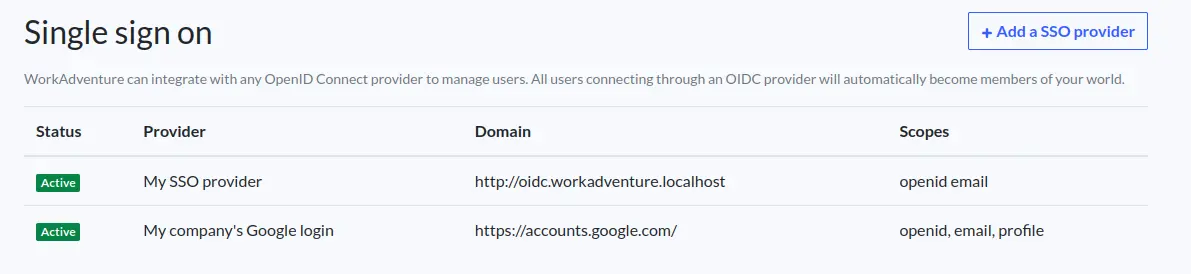
Auto connect to the dashboard from WorkAdventure (SaaS)
If you are an administrator of your world and are connected to WorkAdventure, a click in the wrench in the toolbar will connect you automatically to your dashboard. Previously, you had to authenticate again using your email and password. Now, you are automatically connected. If you have set up single sign-on, it means that you can use your company’s account to connect to the dashboard via WorkAdventure (previously, you had to remember an additional login/password pair). 
What’s next?
We are keeping working heavily on the Matrix integration. The next feature will bring support for emoji-based cross-signing
(useful if you lose your security key). A number of user experience improvements are also planned, especially regarding encryption management, and a new chat design is on the way.” Microsoft Teams integration is coming too! You’ll be able to define an area in your map linked to a Microsoft Teams meeting
and you’ll be able to consult your calendar and todo-list directly from WorkAdventure. Finally, we are exploring real-time communication with bots using OpenAI’s Real-Time Communication API. If everything goes well, we might have a demo next month! We hope you’re as excited about these new features as we are. Your feedback is invaluable to us, so please don’t hesitate to share your thoughts. Stay tuned for more updates!