Solving "Site can't be reached" errors
While trying to connect to WorkAdventure, you may run into a “Site can’t be reached” error:
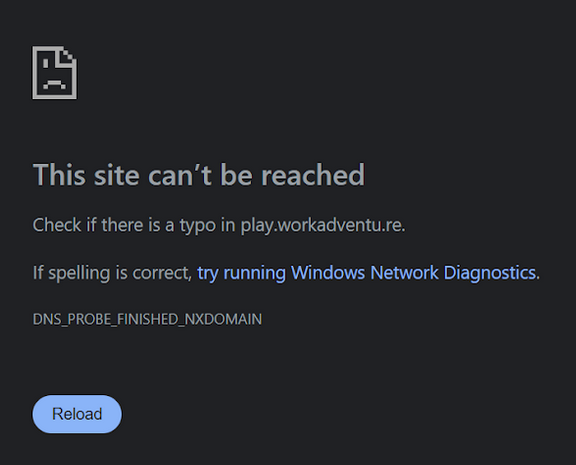
In this case, double-check that the URL is correct.
If the URL is correct and you are getting this error intermittently (if this happens for a few minutes or a few hours and ends up solving itself), the DNS server provided by your internet provider is probably having a caching issue.
To solve this issue, you should replace the DNS provided by your internet provider with one that is better maintained. Our advice is to use Cloudflare DNS (hosted at the IP address 1.1.1.1) that is rock solid.
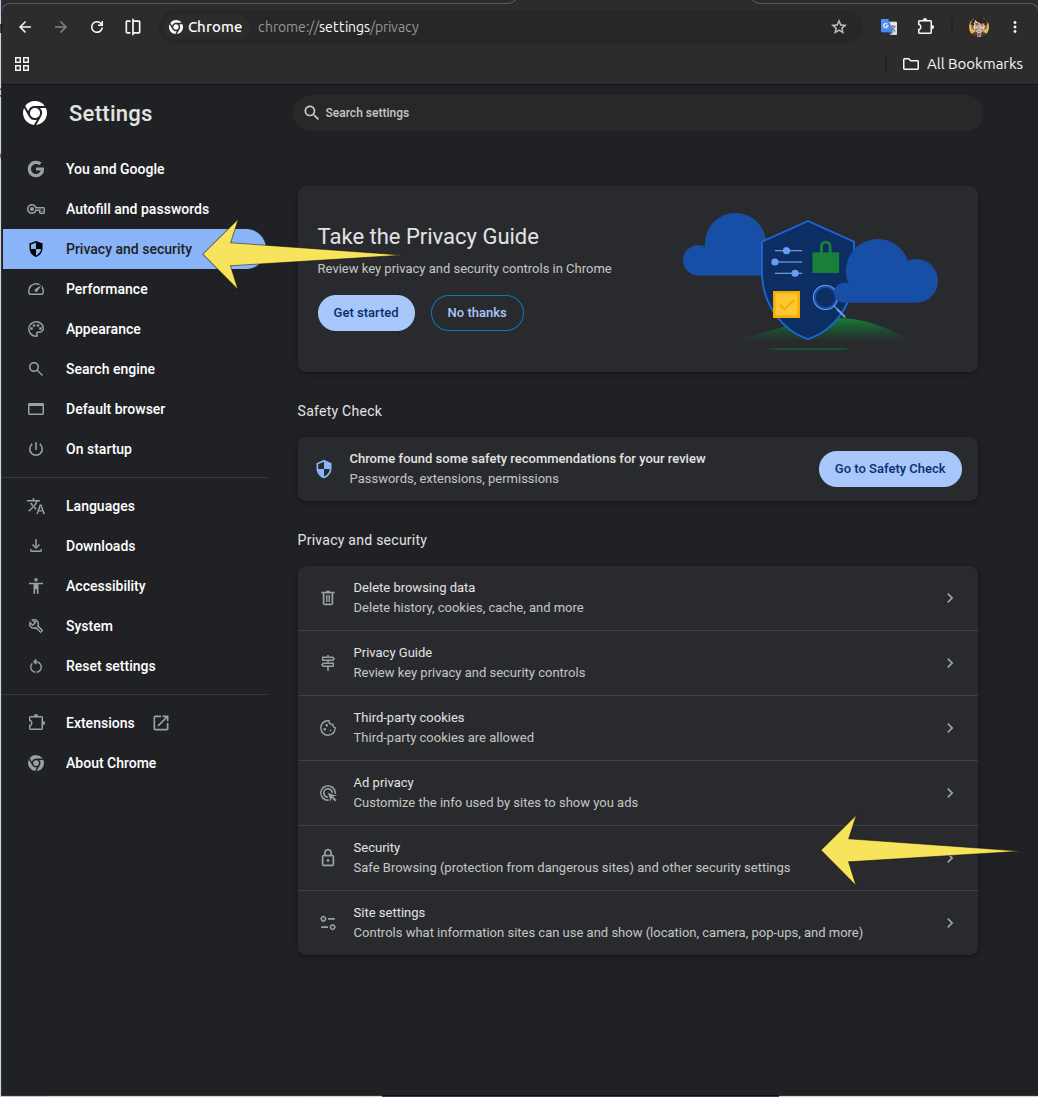
To change the DNS settings in Chrome, you can access the Settings, then click “Privacy and Security” and then “Security”:
Now, click the “Use secure DNS” checkbox and in the “Select DNS provider” option, click “Cloudflare (1.1.1.1)”
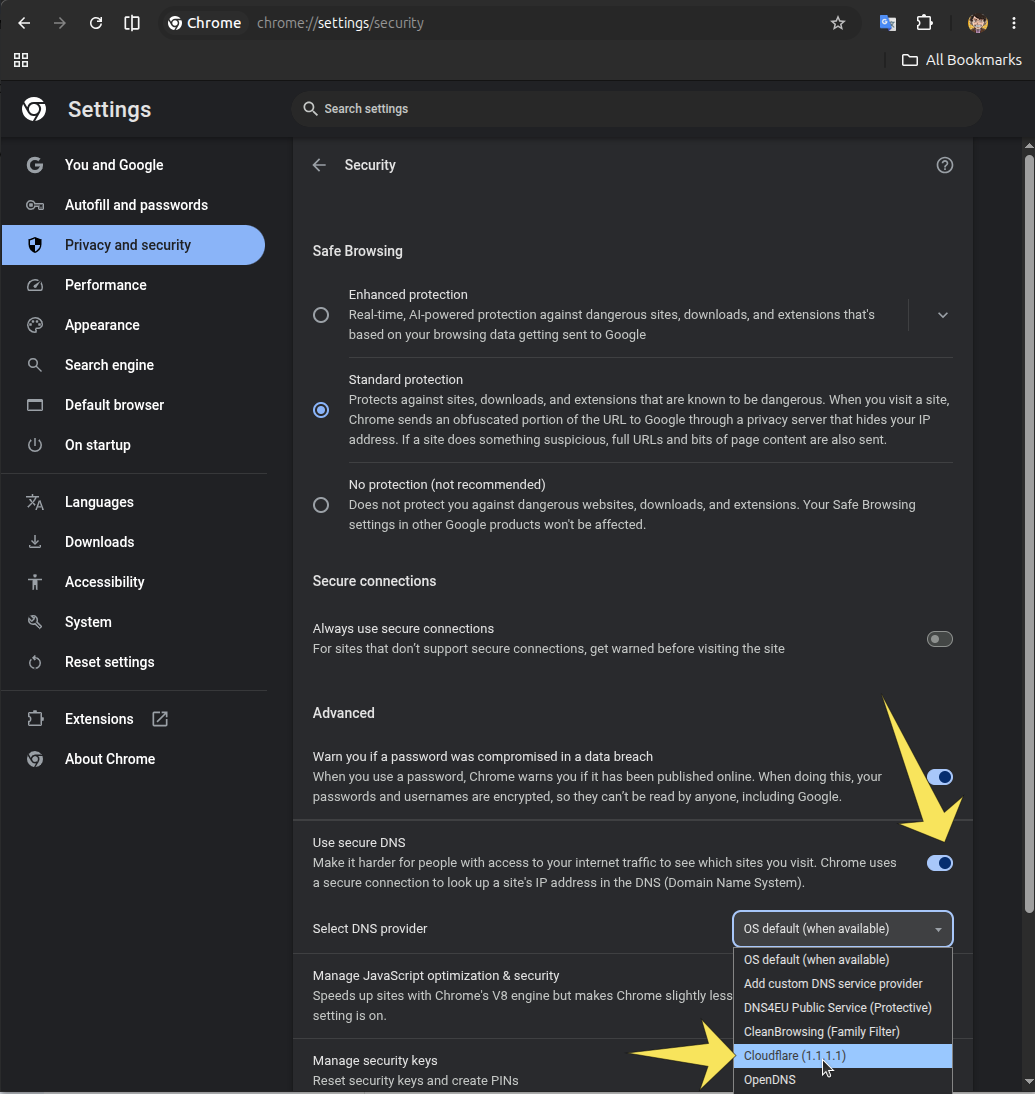
This should solve your issue.
Alternatively, you can change the DNS settings at the operating system level.
Why am I seeing this error, and why do I need to change the DNS settings?
WorkAdventure uses Cloudflare - a content delivery network - to serve files as close as possible to your location. Wherever you are in the world, there are servers close to you to deliver WorkAdventure as fast as possible. However, it is not uncommon for that massive number of servers to stop, restart, or simply change IP address. This is done transparently: the new servers are assigned new IP addresses and DNS records are updated to point to the new IP address. DNS records have a “Time To Live” (TTL) of 5 minutes. This means that for 5 minutes, it’s OK for DNS servers to return the old IP address. So the old server cannot be shut down before those 5 minutes and Cloudflare handles that automatically. The issue starts when some internet providers start caching the DNS records for longer than 5 minutes. This is usually due to poorly configured DNS servers. Replacing your internet provider’s DNS server with a properly maintained one will solve this issue.