- What happens if I go over the 10 simultaneous users' limit in the freemium plan?
- How can I get a free account for my non-commercial open source project?You can get a free account for your non-commercial open source project if you match these criterias:
- Your project meets the Open Source definition,
- Your project is at least 3 months old,
- Your project is actively and regularly developed,
- You are the project lead or an active committer,
- Your project is NOT sponsored by a commercial company or organization,
- Your project does NOT have paid employees,
- Your project does NOT provide commercial services (such as consulting or training) around the software, and does NOT distribute paid versions of the software.
- Can WorkAdventure be one of my sponsors?Yes, we do sponsor depending on the kind of event you are organizing. Contact our team for further information.
- What is the difference between the freemium and the premium plan?When you sign in, you automatically get the freemium plan. Whether you keep the freemium plan, or decide to upgrade to the premium plan, you can decide to pick up a ready-to-use template, to create your own map or to ask one of our designers to build it for you. The freemium plan includes: - Creation of one or several virtual spaces - Maximum 10 simultaneously connected users - Basic features: custom avatars and companions, chat, video and audio services, bubble zones (4 avatars max. at the same time), meeting rooms (for more than 4 avatars at the same time), silent zones, website integrations, emojis, moderator rights, custom URL link, mobile and desktop app (PWA), the move on-click, the locked bubble, the follow WOKA and the away mode feature. The premium plan includes: - Creation of one or several virtual spaces - Unlimited number of simultaneously connected users - Basic features: custom avatars and companions, chat, video and audio services, bubble zones (4 avatars max. at the same time), meeting rooms (for more than 4 avatars at the same time), silent zones, website integrations, emojis, moderator rights, custom URL link, mobile and desktop app (PWA), the move on-click, the locked bubble, the follow WOKA and the away mode feature. - Premium features: access management, auto login token, advanced moderator rights, dedicated rooms for moderators, detailed users' list, global messages, live streaming and recording, Google Calendar integrations, business cards, custom contact menu, SSO authentification and co-websites, white label... You can upgrade to a paid plan to get the premium features at any time from your dashboard. If you need any help during your journey with us, please do not hesitate to contact us.
Pricing
Free
0€
limited to 10 users
Event
From
2€
per day
per user
Business
From
5€
per month
per user
BASE CONFIGURATION
Number of days
CreateInclude in:
Unlimited
CreateEvent
CreateOffice
The duration for which your WorkAdventure space will remain accessible to users.
Unlimited
Number of users
CreateInclude in:
Limited in free to 10users
Event
Office
The maximum number of people who can be connected at the same time in your space.
Limited to 10 users
Dedicated Customer Success Manager
Include in:
Event
Office
A dedicated expert supports your goals and ensures long-term success.
During event
Full-time
Dedicated map designer
On-demand
A professional designer builds a map based on your needs and branding.

On-demand
On-demand
Insights
Include in:
Event
Office
Access usage statistics and monitor how participants interact in your space.

COMMUNICATION
Unlimited audio, video, and chat 
Include in:
Free
Event
Office
Spontaneous virtual conversations: approach people with your avatar to automatically trigger a video discussion without previous arrangements
Host digital conferences, lectures, and seminars
Include in:
Free
Event
Office
Create dedicated “speaker zones” where only the speaker can be seen and heard, while attendees remain in listen-only mode.
Multiple screenshare
Include in:
Free
Event
Office
Several users can share their screens at the same time during meetings.
Record meetings
Include in:
Free
Event
Office
Register and videotape everything that happens in a virtual meeting room during an online gathering.
Direct messages and chat
Include in:
Free
Event
Office
Send messages with texts, pictures, videos, links, and all types of files to those who are connected to your virtual world, whether it’s a private conversation or a group chat.
Status
Include in:
Free
Event
Office
Display availability (busy, away, etc.) directly on avatars. Decide if your camera & mic are muted when WorkAdventure is hidden behind another tab
Live streaming
Include in:
Free
Event
Office
Stream meetings in YouTube Live, the replay will be instantly available on YouTube.
Access & security
GDPR
Include in:
Free
Event
Office
Fully GDPR-compliant: no tracking, no data resale, and full transparency
Block, ban, or kick users
Include in:
Event
Office
Control access and protect your space from unwanted participants.
Define tags, roles and rights associated
Include in:
Event
Office
Set user permissions and roles to match your organizational structure.
Limit access to specific email adresses
Include in:
Event
Office
Restrict entry to people with approved email domains or addresses.
SSO-protected access
Include in:
Event
Office
Enable secure access through Single Sign-On (SSO) with your identity provider.
Custom domain
Include in:
Event
Office
Use your own branded domain name for a fully personalized experience.
Apps, tools, and integrations
Microsoft Teams integration
Include in:
Free
Event
Office
Link your Microsoft Teams account to WorkAdventure to have synchronized status, SSO authentication, and access Microsoft Teams’ meetings from your virtual world.
Outlook integration
Include in:
Free
Event
Office
Connect your Outlook account to your virtual world to sync your to-do list and to send personalized meeting invitations via email.
Google Calendar integration
Include in:
Event
Office
Link your Google Calendar profile to WorkAdventure to schedule meetings in your virtual world, sending the invites with access to the meeting room through the Calendar.
Discord integration
Include in:
Event
Office
Synchronize your Discord server to WorkAdventure, allowing you to check and answer your Discord messages from WorkAdventure’s chat space. Additionally, you can configure your virtual world so that only your Discord members can access your digital space.
Third-party message apps
Include in:
Event
Office
Install apps like “Elements” on your PC or smartphone to read and answer all the messages you receive from WorkAdventure without needing to log in to your virtual world.
AI and bots
Include in:
Event
Office
Configure AI-powered bots and assign to them different tasks and functions, which can include dialogs, map guides, questions and answers, meeting summaries, translation, email sending, etc.
More integrated apps
Include in:
Event
Office
Send embedded files from Youtube, Klaxoon, Google Sheets, Google Docs, Google Slides, Google Drive, Eraser, Excalidraw, and Cards.
Gamification
Include in:
Event
Office
Set up quests for your users and reward them with personalized badges and certificates.
Customization
Prebuild map templates
Include in:
Free
Event
Office
Select one of the map templates that best suits your needs and build your virtual space with just a few clicks.
Personalize your map through map editor
Include in:
Free
Event
Office
Easily edit your space’s layout, zones, and interactive elements.
Personalize avatars and desks
Include in:
Free
Event
Office
Customize user avatars, desk names, and items to reflect your brand.
White Label
Include in:
Event
Office
Remove WorkAdventure branding for a fully custom, branded experience.
Support
Documentation
Include in:
Free
Event
Office
Access detailed guides, tutorials, and resources to configure your space.
Onboarding expert
Include in:
Event
Office
Benefit from expert support to help you launch and configure your space efficiently.
Priority customer support
Include in:
Event
Office
Access dedicated technical support to ensure everything runs smoothly.
Uptime SLA
Include in:
Event
Office
Guaranteed service availability with a defined uptime commitment in your plan.
Self host
Need full control with self hosting?
Deploy WorkAdventure on your own infrastructure and keep full ownership of your environment, security and operations.
- Deploy on your own servers or private cloud
- Keep control over security, data and compliance
- Get access to our enterprise features and support options
Want a world that reflects your identity?
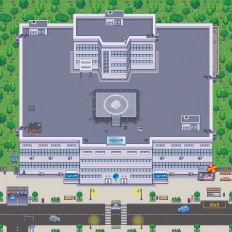
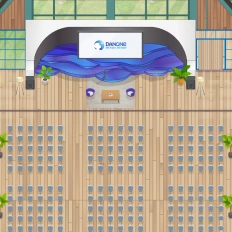
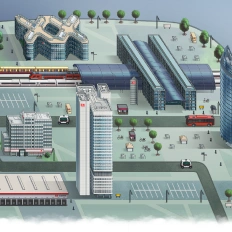
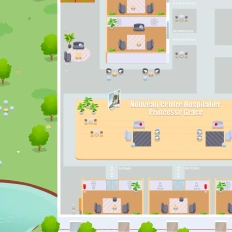
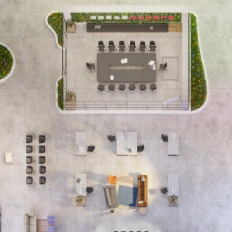
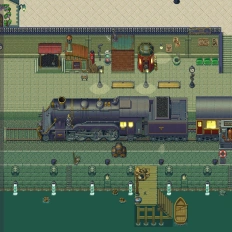
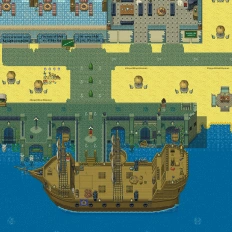
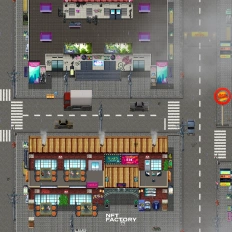
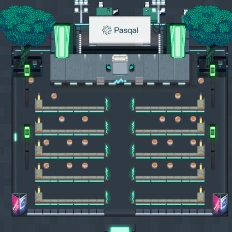
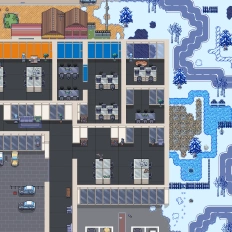
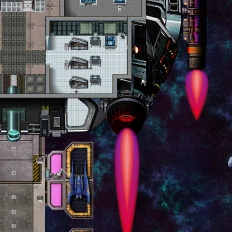
You can also call on our design team to create a custom map—perfectly aligned with your company’s branding or completely out of the box: under palm trees, in your HQ offices, or on a distant planet.






Still have questions?
Can’t find the answer you’re looking for? Please chat to our friendly team.