How do I stop someone walking into an interview?
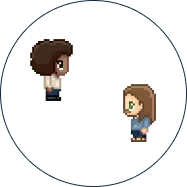
Lock the bubble. Any conversation in WorkAdventure has a padlock, and once it is on, nobody else can join by walking up. The interview carries on without interruptions, and a candidate waiting nearby is not dropped into someone else’s conversation.
The three levels, from lightest to strictest
- Lock the bubble. One click, in the conversation itself. Right for a quick 1:1 in an open area.
- Use a meeting room area for a longer or larger interview. It is a defined place on the map.
- Limit the area to two people. Set a maximum number of participants on the interview area: at 2, the recruiter and the candidate are inside, and nobody else can enter while they are both there. Right for a desk or a booth where candidates come one at a time.
A silent zone is a different tool: it stops conversations starting at all, which is what you want for a waiting area or a preparation room, not for the interview itself.