
WorkAdventure 1.32.0 is now available! The release of the previous 1.31 was not so long ago, but we are already ready to ship a new release with some pretty cool additions. And this time, we are delivering on a promise: the long-awaited noise suppression feature is finally here. Read below for the full list of changes.
New Features
Noise suppression
Finally! WorkAdventure has had support for noise suppression in Jitsi meeting rooms for a long time, but the feature was not available in bubbles or LiveKit meeting rooms. This is now fixed! You can now enable noise suppression directly in the microphone settings.
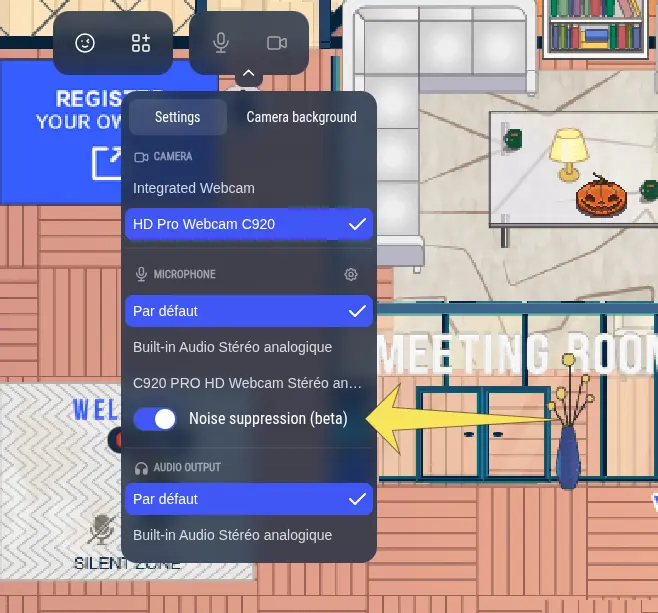
By default, it uses our new built-in noise suppression algorithm, which is based on the DTLN model. In the advanced options, you can switch it to use the noise suppression algorithm provided by your browser, or even the voice isolation algorithm if your combination of browser and operating system supports it (this will typically work on macOS with Chrome).
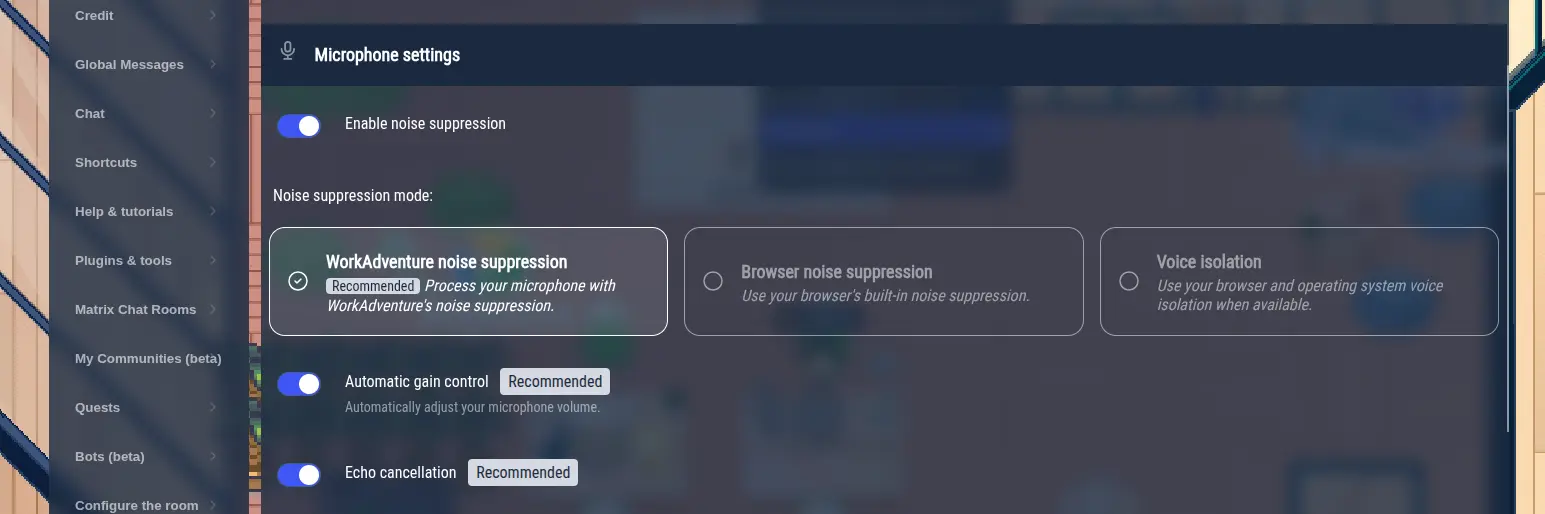
If you wonder what the difference is between these three algorithms, here is a quick summary:
- The default noise-suppression algorithm we use is DTLN. It is a deep learning model that has been trained to remove background noise from speech. It works well in most situations. Because it is bundled inside WorkAdventure, it works in all browsers, and you will get a pretty decent noise suppression experience whatever your browser or OS is. Enabling the default noise-suppression typically takes 1 vCPU.
- The noise suppression algorithm provided by your browser will depend on your browser (or even your OS). Older browsers may not support it at all though most browsers used for WorkAdventure development do. Your results will vary depending on your browser and OS. Because this algorithm is implemented in the browser, it is typically more efficient (CPU-wise) than the DTLN algorithm.
- The voice isolation algorithm is a new algorithm that is available in some browsers (typically Chrome on macOS). The algorithm will typically be provided by the OS and the browser will only act as a wrapper. This is a more advanced algorithm than the noise suppression algorithm, and it can remove more types of background noise, including voice from other people around you. Because it is more powerful, it can also distort your voice a bit more than the other algorithms. It will in particular distort music.
Getting support for noise suppression was quite a ride. In order to get it working consistently across all browsers, we had to implement the DTLN algorithm in an Audio Worklet. The result is a new open-source library that should make implementing noise suppression in web applications much easier for anyone: @workadventure/noise-suppression.
We could talk about this for hours, but this is not the topic of this blog article. If you are interested in the technical details — if you want to know what it means to bundle 2 different machine learning models in a single Audio Worklet, without support for COOP/COEP — you can read all the gory details in this blog post: Building an easy-to-use browser noise suppression library in an audio worklet.
In addition to those changes, you are also getting access to more microphone settings. In particular, you can now decide to disable the automatic gain control (AGC) of your microphone, and the echo cancellation (AEC) algorithm. The automatic gain control automatically adjusts the volume of your microphone to keep it at a constant level. The echo cancellation algorithm removes the echo that can happen when your microphone picks up the sound from your speakers. Both of these algorithms are implemented in your browser, and to be honest, we highly recommend keeping them enabled. That being said, if you have a super high quality microphone and if you are recording in a controlled environment (like a recording studio), you may want to disable those algorithms to get the best possible sound quality.
Improvements
New translation: Traditional Chinese (zh-TW)
WorkAdventure now supports Traditional Chinese (used in Taiwan). A big thank you to @bestian for his first contribution!
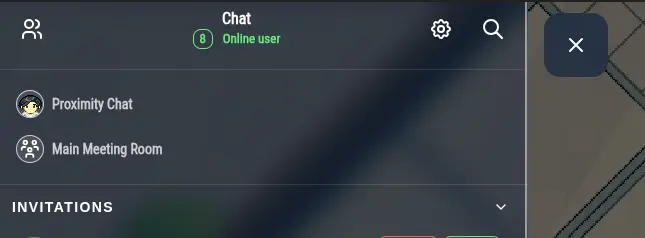
Meeting rooms are getting a dedicated chat channel
Previously, WorkAdventure had one big chat channel (we called it internally the “timeline”) for every message not stored (bubbles + meeting rooms), and then, one channel per Matrix room (for stored messages).
We are switching to a new model where every meeting room has its own dedicated chat channel (be it a Matrix room or a LiveKit room). This allows for a better separation of messages, and opens the door to complex cases where a user is at the same time listening to a talk in a listener room while chatting in a bubble. In this case, the user will now have two different chat channels, one for the bubble and one for the meeting room, making it clear which messages are coming from which context.
Other improvements
This release also brings a number of smaller improvements, in particular around the map editor: the map editor is now a proper “blocker” component, the Woka is correctly repositioned when the map editor is opened, and a screen blocker attachment has been added.
Code improvements
Migration of underlying libraries
The codebase of WorkAdventure has undergone significant changes in this release. We have upgraded underlying libraries, including Vite (from 4 to 8), Svelte (from 4 to 5), and many others. The next release will continue on this path as we strive to keep the WorkAdventure codebase up to date and state-of-the-art with the latest versions of its dependencies.
A big thank you to @angerenage for doing the heavy lifting on this migration.
Improved performance
We have also improved the algorithms that compute the position of bubbles. On a day-to-day basis, you should not see any difference, but if you plan to host a meeting with several thousand users on the same map, you should see a reduced lag.
Bug fixes
Hunting for missing audio tracks
We have received reports of users not being able to hear other users in bubbles or LiveKit meeting rooms. The issue happens sporadically, and it is very hard to reproduce.
We have identified a number of different race conditions that could lead to this issue, and we have fixed them all. In addition, we added a way to detect when these issues happen and log them (should they happen again), so that we can fix them more easily in the future.
Other bug fixes
A nasty file handler leak happening when the connection between the server and the S3 storage was lost has been fixed.
What’s next?
We are already working on the next release, which will continue to bring quality-of-life improvements, performance optimizations, and bug fixes. We are also working on an automatic detection of noisy environments to proactively propose to users in noisy environments to enable the new noise suppression. Stay tuned!