
WorkAdventure 1.33.0 is now available! This release focuses on making WorkAdventure smoother under load, whether you are sharing your screen in a meeting, moving through a large map, using a virtual background, or opening an account with many chat rooms.
It also brings new ways to interact with an audience. Polls and community-ranked questions are now available directly in proximity and meeting chats, while Matrix room administrators can manage room settings without leaving WorkAdventure.
New Features
Polls in proximity and meeting chats
Polls are no longer limited to Matrix rooms. You can now create them directly in a proximity-chat bubble or meeting chat, making it easier to gather feedback or make a group decision without switching to another tool.
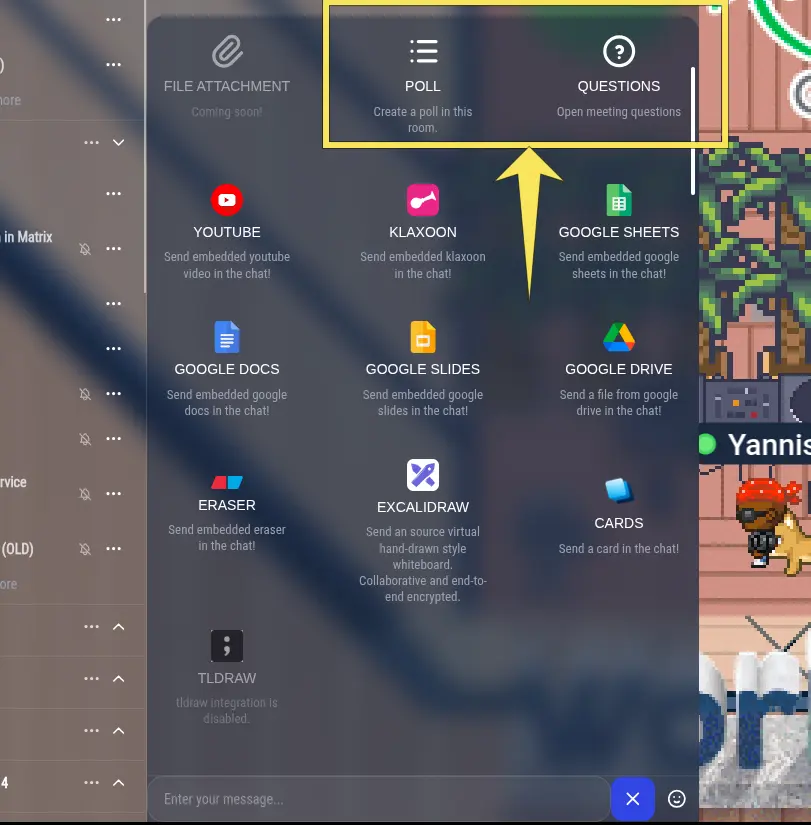
Enter a question, add the possible answers, and decide whether participants should see the results immediately or only after the poll has closed.
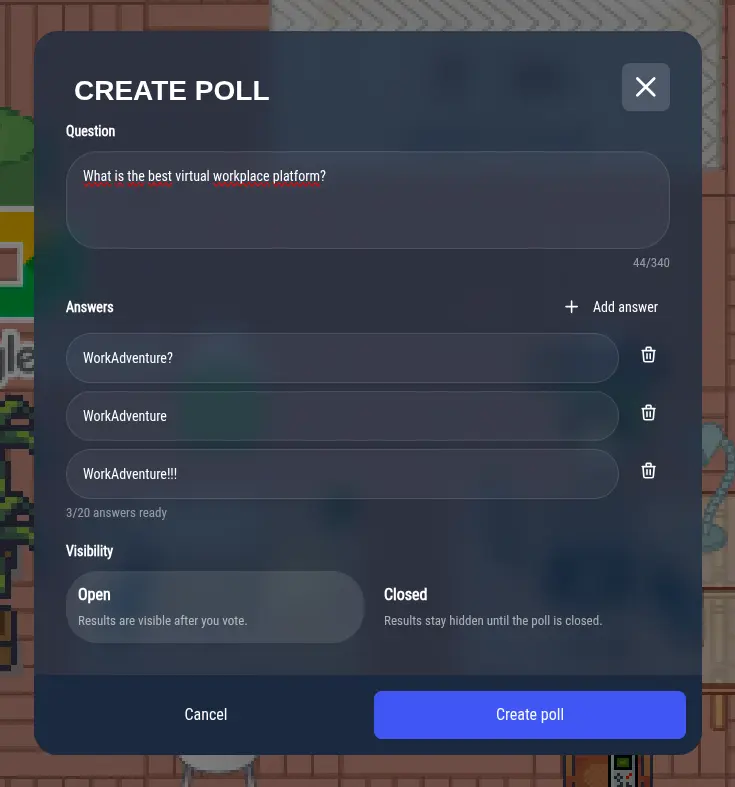
The poll is then available to everyone in the conversation.
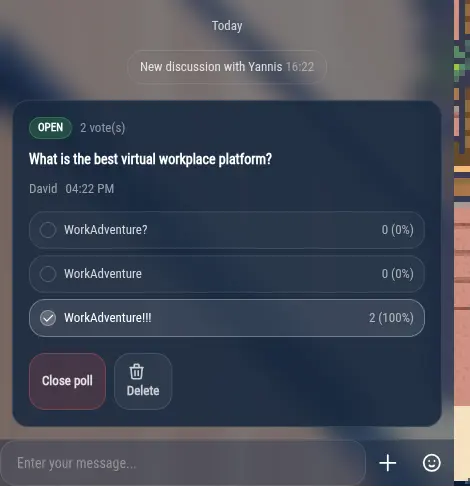
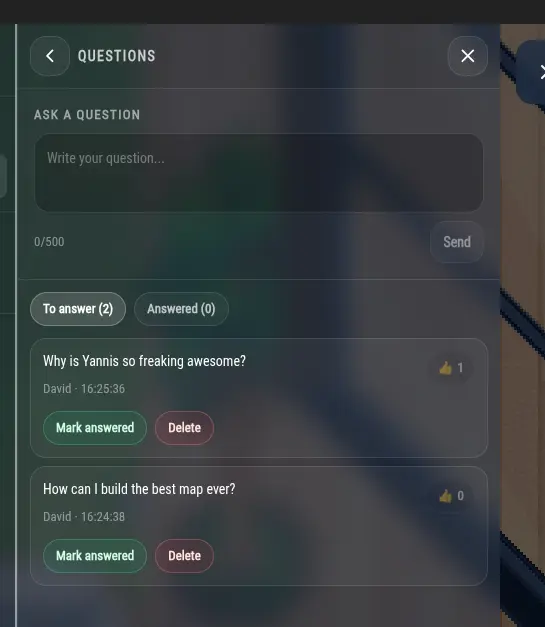
Let the audience choose the questions that matter most
Presentations and virtual events often generate more questions than a speaker can answer. Participants can now submit questions directly from proximity chat and upvote the ones they find most relevant. Speakers can quickly see which topics have the most interest and prioritize them during the Q&A session.
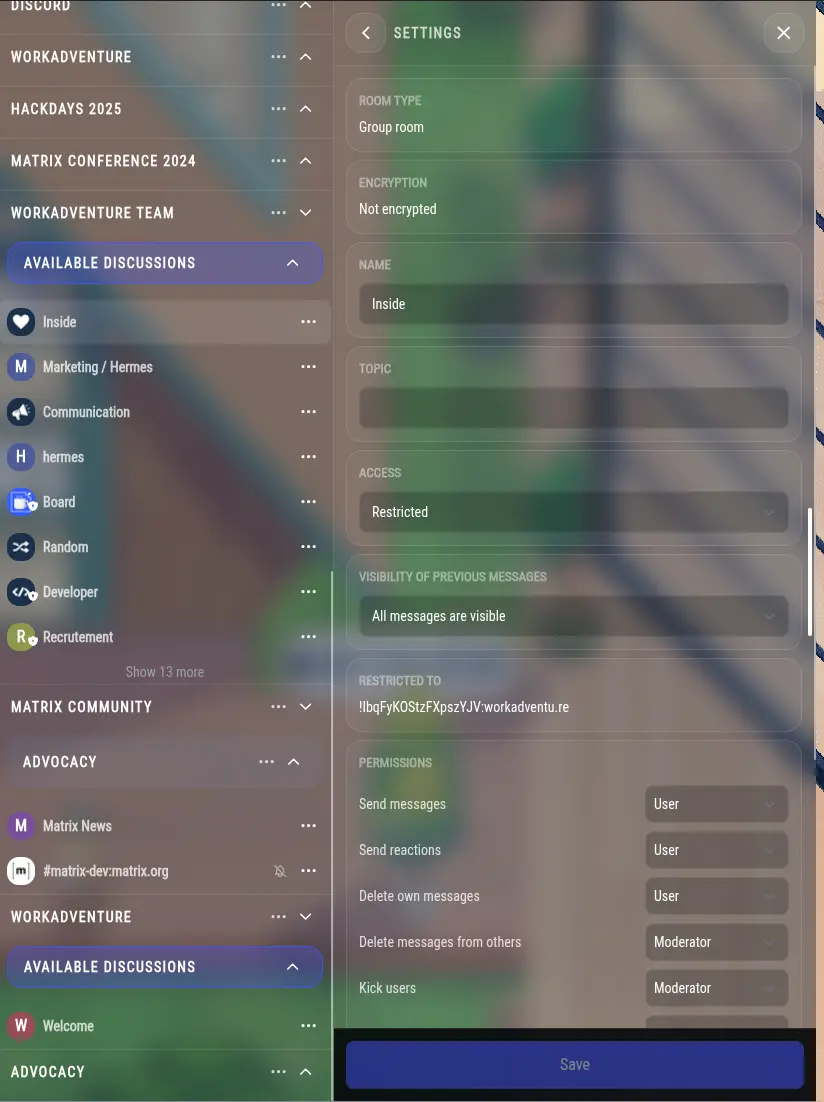
Manage Matrix room settings from WorkAdventure
Matrix room administrators can now edit supported room settings directly from the side panel, including the room name and security settings. There is no need to leave WorkAdventure to take care of common room-management tasks.
Performance Improvements
Performance was a major focus of this release. We moved more work away from the main browser thread, where it could make the interface less responsive, and delegated more visual processing to the GPU. The result should be a smoother experience when WorkAdventure is handling demanding tasks such as meetings with many videos, noise reduction, virtual backgrounds, and complex maps.
Sharper screen sharing with AV1
Screen sharing now uses AV1 by default when participants’ devices support it. AV1 compresses video more efficiently than VP9, our previous default, and WorkAdventure now also allocates a little more bandwidth to screen sharing. Together, these changes should make shared text, slides, and applications look sharper and move more smoothly for remote viewers.
Meetings can also adapt when not every participant supports AV1. Compatible participants continue to receive the higher-quality AV1 stream, while WorkAdventure can provide an additional VP8 stream to participants who need it. One older device will not reduce screen-sharing quality for everyone else.
A more responsive interface
Some expensive operations now run in web workers, away from the browser thread responsible for the interface. Matrix storage is one of them, which should noticeably reduce startup freezes and slowdowns for users with large Matrix accounts.
Virtual-background processing has also moved away from the main thread and is now accelerated by the GPU. This leaves more processing time available for the interface and the rest of a meeting.
Faster maps with more work handled by the GPU
WorkAdventure can now render complete optimized map layers directly on the GPU. Previously, the GPU rendered the map, but the CPU still had to prepare each layer again for every frame. Once a map is optimized for the new rendering path, the CPU has much less work to do, including for layers containing animated tiles.
The map optimizer has been updated to prepare maps for this new system. It is also dramatically faster: on one of our production maps, optimization time fell from about 110 seconds to 5 seconds. We have, quite literally, optimized the optimizer. 😀
Action required for creators of custom maps
To benefit from GPU-accelerated layer rendering, update to
wa-map-optimizer-vite1.3.1 or later and re-optimize your map:
npm install --save-dev wa-map-optimizer-vite@^1.3.1
Your maps will continue to work if you do not re-optimize them, but they will not benefit from the new GPU rendering improvements. If you use a preset map, there is nothing to do: preset maps have already been updated.
Under the Hood
Phaser 4, Tailwind 4, and a newer Matrix SDK
WorkAdventure 1.33 includes major upgrades to several of the libraries behind the application.
Phaser, the game engine at the heart of WorkAdventure, has been upgraded from version 3 to version 4. Its new GPU tilemap rendering system made the map performance improvements in this release possible. Along the way, we contributed fixes to Phaser’s new rendering system, including corrections for rotated tiles.
We also migrated from Tailwind 3 to Tailwind 4, simplifying the CSS configuration and making it easier to maintain, and upgraded the Matrix JavaScript SDK from version 32 to version 41. The Matrix upgrade brings bug fixes and enables more of its work to run in a web worker.
Bug Fixes and Polish
This release fixes blurred virtual-background rendering in Safari and includes a range of smaller reliability and interface improvements. Among them, usernames remain sharp in Safari when zoomed out, map-storage screens work correctly again after the Svelte 5 migration, and joining or leaving proximity spaces is more robust.
What’s next?
We will continue working on performance and quality-of-life improvements. The next big features will be on the admin dashboard side, with the release of a dashboard to see visitors of your map (people that self-registered to access your map), and shortly after, the release of analytics. You’ll be able to see how many people visited your map, how long they stayed, and which areas were the most popular.
In the meantime, update your custom maps to the latest optimizer to get the full benefit of WorkAdventure 1.33!