What is a WOKA, and how do I change mine?
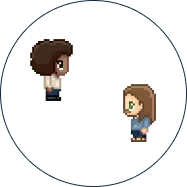
A WOKA is your avatar in WorkAdventure. It is the character other people see moving around the map, and the one they walk up to in order to talk to you.
To change yours, open the menu inside your space and click “customize your avatar”. You dress it from head to toe: body, clothes, hair, accessories. You can also give it a companion, a small animal that follows you around.
Changing it takes a few seconds, and it is worth doing at the start of an event. On a map with a hundred people, the avatar is how colleagues find you. Organisers often go further and give their team a custom skin, so attendees can tell staff from other attendees at a glance.