Why can't I speak to other users in a bubble zone or in a meeting room?
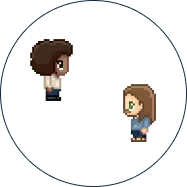
You can connect to WorkAdventure and move your character, but when you get close to another user, you cannot speak with them? Or you cannot speak or hear people in a meeting room?
All these problems can occur when we cannot establish a video / audio connection. In technical jargon, we call those “WebRTC” connections. In a bubble, WorkAdventure tries to connect users directly to each other over UDP; when that is not possible, the streams go through relay servers. WebRTC connections can fail due to a wide number of issues but most of the time, this is due to a network that is too restricted because of firewalls or other protections installed by the network administrator.
Direct your network administrator to the Preparing your network page to help them adapt the settings of the network to WorkAdventure.
In the meantime, if you are using a VPN, try turning it off. You can also connect your laptop to your phone’s 4G/5G hotspot: a mobile connection is usually less restricted than an office network.